
Wallaby - Speed + Power & Throttle UnlockUpdated 3 months ago
This guide explains how to adjust the speed, power, and throttle settings on your trike. Please take your time and follow each step carefully. If you are unsure at any point, we recommend asking someone to assist you. After making any changes, always test the trike slowly and in a safe area away from traffic.
Adjusting the Speed and Power Settings
To change the speed and power settings, you will need to enter the display settings menu.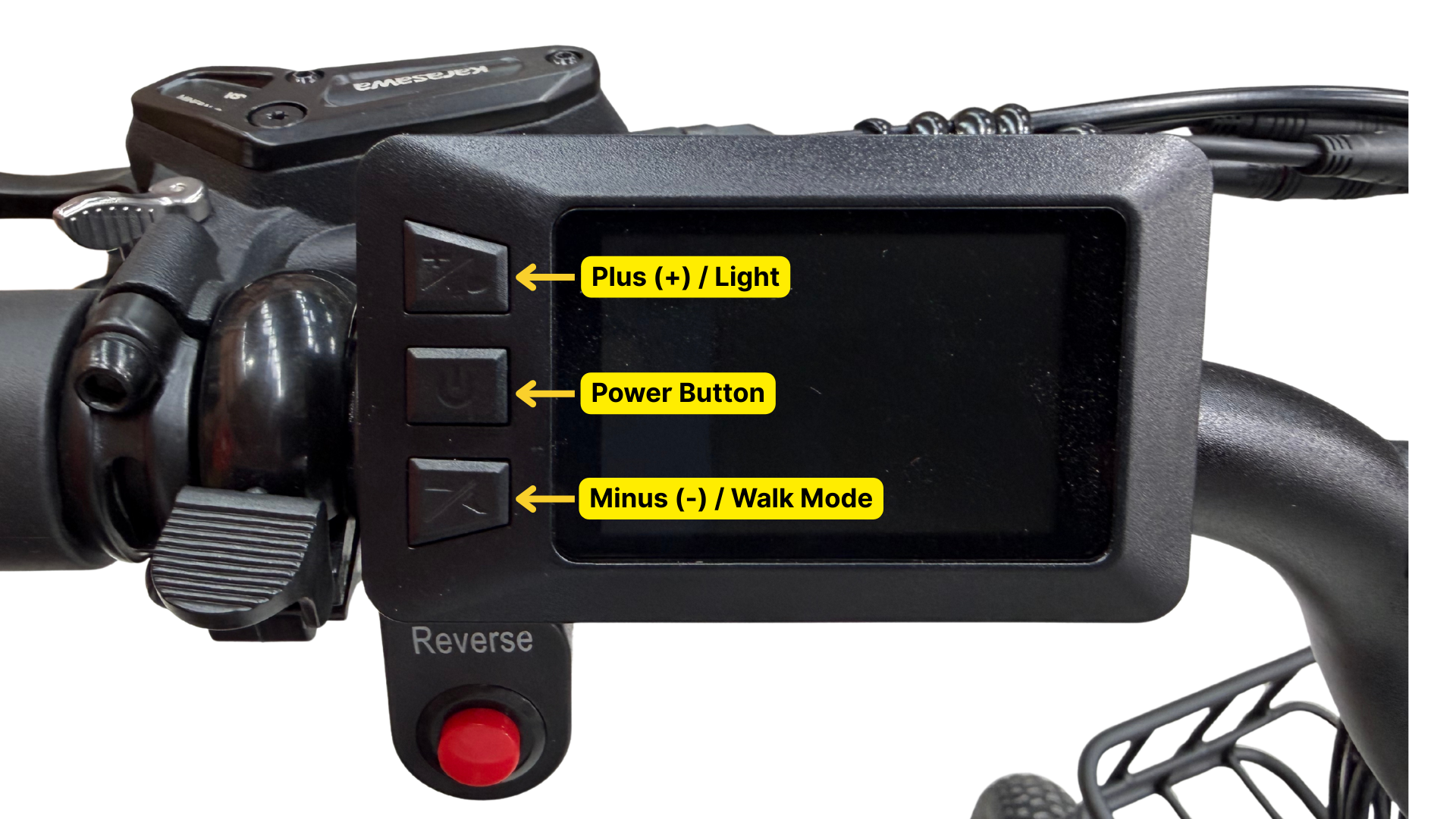
- Turn the display on.
- Press and hold the + and - buttons together until the password screen appears.
- Enter the password: 0526
Use the + and - buttons to change each number, and short press the power button to move to the next digit.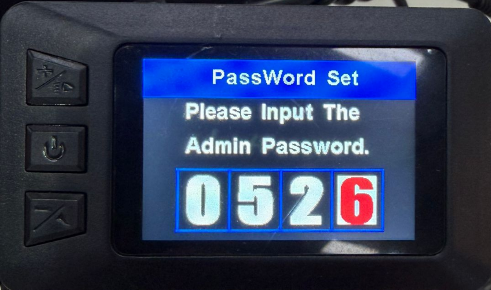
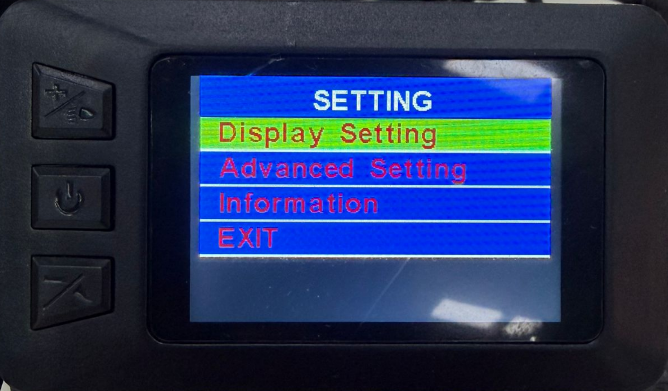
- After entering 0526, press the power button again to enter the settings menu.
- Press the power button to enter the "Display Setting" menu.
- You can then adjust:
- Speed Limit – changes the maximum assisted speed
- Set Power – changes how much motor power is used
Take care when increasing these settings, as higher power and speed may affect how the trike handles.
IMPORTANT: Don't adjust the 'Wheel' setting as it will affect the handling and speed reading of the trike. It is deliberately set to 24".
To reset the trip meter:
- Enter the 'Display Setting' menu by following the steps above.
The first option is Trip Reset. Press the power button to select it, then use the + button to change the setting to Yes.
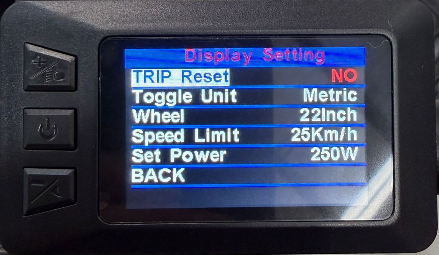
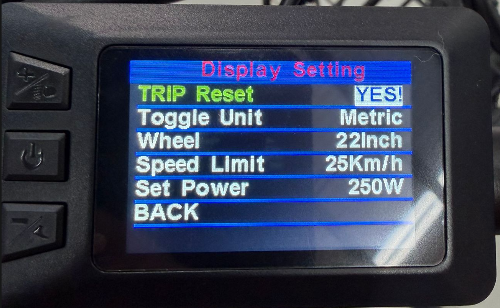
Press the middle power button again, then select Back at the bottom of the menu to save the change. Alternatively, you can press and hold the + and – buttons together to apply the change directly.
Unlocking the Throttle Speed
Follow these steps to remove the 6 km/h throttle limit:
- Make sure the display is turned off.
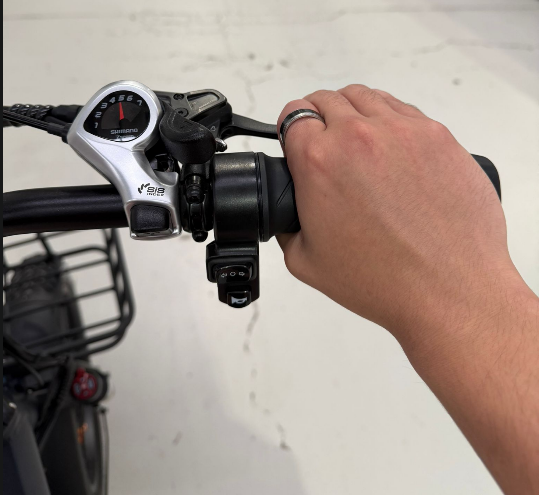
- Twist the throttle fully.
- While holding the throttle in that position, squeeze and hold the right brake lever.
- Keep holding both the throttle and the brake lever, then turn the display on.
- The display will turn on as normal and will not show any message to confirm the change.
- Take the trike for a short and careful test ride in a safe area.
- If the throttle now goes above 6 km/h, the throttle has been unlocked successfully.
Restoring the Original Throttle Setting
If you would like to return the throttle to the original 6 km/h limit, simply repeat the same steps above.
Important Note
Before using higher speed or power settings, please check the rules and regulations that apply in your local area. Some settings may only be suitable for use on private property.